
I remember sitting in my old agency office, surrounded by the hum of server fans, watching a junior dev spend three hours trying to explain “secure web protocols” to a local bakery owner. He was using words like cryptographic handshakes and asymmetric encryption, while the client just wanted to know if her customers’ credit card numbers were safe. It felt like watching someone try to explain how a plant grows by reciting a chemistry textbook instead of just talking about soil and sunlight. Honestly, the tech industry has this annoying habit of wrapping simple concepts in layers of expensive-sounding jargon just to make themselves feel indispensable, but security shouldn’t feel like a secret club.
I’m not here to sell you on a high-priced security suite or drown you in math you’ll never use. My goal is to strip away the noise and give you the actual essentials you need to protect your corner of the internet. I’ll walk you through how these protocols work in plain English, so you can secure your site without needing a computer science degree or a massive budget. Consider this your no-nonsense roadmap to staying safe online.
Table of Contents
The Truth About Tls vs Ssl Encryption
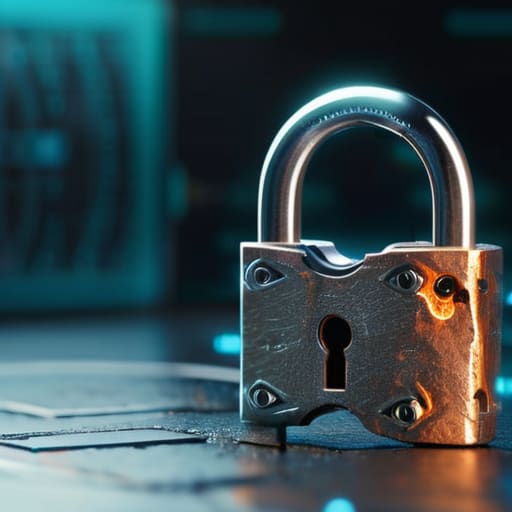
If you’ve been digging around in your hosting dashboard, you’ve probably seen these two acronyms thrown around like they’re interchangeable. Here’s the deal: SSL (Secure Sockets Layer) is actually the old, outdated version of the tech. It’s been around since the 90s, and honestly, it’s pretty much obsolete now because it has too many holes. TLS (Transport Layer Security) is the modern successor that actually does the heavy lifting.
When people talk about TLS vs SSL encryption today, they’re almost always actually using TLS, even if they still call it an “SSL certificate.” Think of SSL as an old, rusty padlock that’s easy to pick, while TLS is the high-tech deadbolt you’d actually want on your front door. When your browser performs that cryptographic handshake process with a server, it’s using TLS to make sure the connection is airtight. You don’t need to stress about the technical minutiae, but just know that if a provider tells you they only support the old SSL standards, it’s time to find a new provider.
How the Cryptographic Handshake Process Actually Works

I know, I know. The phrase “cryptographic handshake process” sounds like something straight out of a sci-fi movie, but I promise it’s much less intimidating than it sounds. Think of it like this: when you type a URL into your browser, your computer and the web server are essentially meeting up at a coffee shop for a very quick, very private introduction. Before any sensitive info—like your password or credit card number—is exchanged, they need to agree on a “secret language” so no one else can eavesdrop on the conversation.
During this digital introduction, the two parties exchange a few quick messages to verify each other’s identities. The server sends over its digital certificate (which is basically its ID card) to prove it is who it says it is. Once that’s confirmed, they use complex math to settle on a unique, temporary key. This ensures that your connection follows strict data encryption standards, turning your information into a scrambled mess that only the intended recipient can unscramble. It all happens in a fraction of a second, working quietly in the background to keep your corner of the web safe and private.
5 ways to keep your site secure without losing your mind
- Check your SSL certificate expiration dates regularly; there’s nothing more frustrating for a visitor than seeing a scary “connection not private” warning just because you forgot to renew a piece of digital paperwork.
- Stick with HTTP/2 or even HTTP/3 if your hosting provider allows it, because these aren’t just about security—they actually make your site load faster, which keeps both Google and your visitors happy.
- Don’t settle for “good enough” security; make sure your host is using modern TLS versions (1.2 or 1.3) and has disabled those old, clunky versions like SSL 3.0 that hackers can easily crack.
- Implement HSTS (HTTP Strict Transport Security) to tell browsers that your site should only ever be accessed via a secure connection, effectively closing the door on anyone trying to downgrade your users to an unencrypted version of your site.
- Keep your plugins and CMS updated religiously; even the best encryption in the world won’t save you if there’s a wide-open back door in an outdated piece of software.
The bottom line: What you actually need to know
Don’t sweat the technical jargon; just remember that SSL is the old, outdated version and TLS is the modern standard you actually want using today.
Think of encryption as a digital handshake—it’s not just about hiding data, but about proving to your visitors that your site is actually who it says it is.
Keeping your site secure isn’t an “extra” luxury for big corporations; it’s a basic, affordable necessity for anyone who wants to build trust with their audience.
## Security isn't a luxury
“At the end of the day, secure protocols shouldn’t feel like some high-level gatekeeping mechanism for the tech elite; they’re just the digital equivalent of locking your front door, and honestly, every small business deserves that basic peace of mind without having to break the bank.”
Lucia Ferreira
Keeping Your Digital House in Order
At the end of the day, securing your website isn’t about mastering complex math or memorizing endless acronyms. It’s about understanding that SSL and TLS are your first line of defense, ensuring that the “handshake” between your visitor and your server stays private. You don’t need to be a cybersecurity expert to implement these basics; you just need to make sure your hosting provider is doing their job and that that little padlock icon shows up in the browser bar. Once you strip away the intimidating terminology, you’ll see that securing your site is really just about building a foundation of trust with the people who visit your corner of the internet.
I know that staring at server settings can feel overwhelming, especially when you just want to focus on your craft or your business. But remember, every big website started as a small project, and every expert started by learning the basics. Don’t let the fear of technical jargon keep you from launching that site you’ve been dreaming about. The web is a massive, messy place, but it is also incredibly rewarding once you find your footing. Take it one step at a time, keep your tools updated, and don’t be afraid to claim your space online. You’ve got this, and the internet is better with your voice in it.
Frequently Asked Questions
Do I actually need to pay for an SSL certificate, or can I find a free one that works just as well?
Short answer: No, you don’t need to pay for one. For most small businesses and personal projects, a free certificate from a provider like Let’s Encrypt works perfectly. It provides the same level of encryption as the paid versions. The main reason people pay for certificates is for specific “validation” levels—like proving your legal business identity to big banks—but for your blog or shop, the free stuff is more than enough to keep things secure.
Will adding these security protocols slow down my website's loading speed for my visitors?
The short answer is: no, not in any way you’d actually notice. I used to worry about this too, thinking all that extra encryption would drag my site to a crawl. But honestly? Modern protocols like TLS 1.3 are incredibly fast. Any tiny delay from the initial “handshake” is more than offset by the performance boosts you get from staying on a modern, secure stack. Your visitors won’t feel the lag; they’ll just feel safe.
If I set everything up correctly, how often do I need to go back and update my security settings?
The short answer? If you’ve set things up right, you shouldn’t have to touch them every day. Security isn’t a “set it and forget it” situation, but it shouldn’t be a full-time job either. I recommend a quick monthly check-in to ensure your SSL certificates haven’t expired and your plugins are current. Think of it like watering my indoor plants—a little routine maintenance keeps everything healthy without needing constant supervision.
