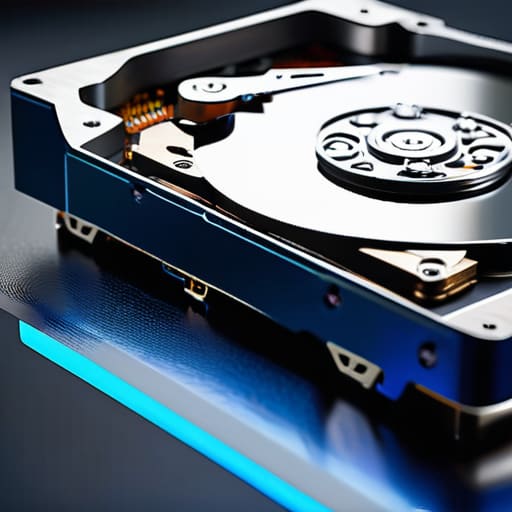
I remember sitting in my tiny studio apartment during my first year as a freelancer, staring at a loading spinner that felt like it was mocking me. I had just launched a client’s site, only to realize I’d skimped on the hardware to save a few dollars. That’s the trap most people fall into: they get so caught up in the monthly subscription price that they completely overlook the actual engine under the hood. When you’re staring down the choice between ssd vs hdd hosting, it’s easy to feel like you’re just picking between two different shades of “internet.” But if you choose wrong, you aren’t just saving money; you’re potentially strangling your site’s growth before it even starts.
Look, I’m not here to sell you on the most expensive enterprise-grade setup you’ll never actually need. My goal is to cut through the marketing fluff and tell you how these drives actually behave when your traffic starts to spike. I’m going to break down the real-world performance of ssd vs hdd hosting so you can make a decision based on your actual budget and goals, not on some salesperson’s pitch. No jargon, no hype—just the straight truth on what’s worth your hard-earned money.
Table of Contents
What is SSD Hosting?

An SSD is a type of storage device that uses flash memory to hold your data, meaning there are no moving parts inside. When we talk about ssd vs hdd hosting, the SSD is the gold standard because it can access information almost instantly by sending electrical signals directly to the data. This lack of physical movement makes it incredibly efficient, providing the lightning-fast speeds that modern websites require to stay responsive.
From my experience working with clients, the difference between an SSD and anything else is felt most in your patience. If you’ve ever clicked a link and sat there staring at a white screen for three seconds, you’ve felt the sting of slow storage. Using an SSD means your pages load before your visitor even has a chance to get bored. It’s about making sure your website feels snappy and professional, rather than sluggish and outdated.
What is HDD Hosting?
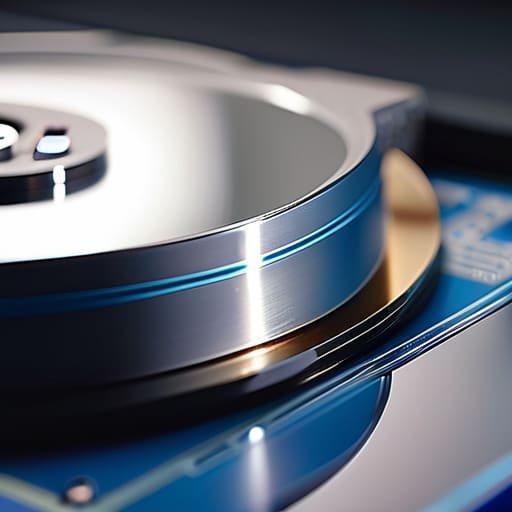
An HDD, or Hard Disk Drive, is a traditional storage method that relies on spinning magnetic platters and a moving read/write head to access data. Think of it like a tiny, high-tech record player that has to physically move to find the specific “track” of information you need. While it isn’t as quick as modern flash storage, its main advantage is that it offers massive amounts of space at a much lower price point.
I usually recommend HDDs for people who are just starting out or running projects that don’t require constant, high-speed interaction. If you are running a massive archive of files or a simple personal blog that doesn’t get much traffic, you don’t necessarily need to overspend on premium speed. It’s the budget-friendly option for those who prioritize storage volume over raw performance, allowing you to keep your overhead low while you find your footing online.
Comparison of SSD vs HDD Hosting
| Feature | SSD Hosting | HDD Hosting |
|---|---|---|
| Speed/Performance | Extremely High (Fast boot & loading) | Low (Slower data retrieval) |
| Price | Higher Cost | Lower Cost |
| Reliability | High (No moving parts) | Moderate (Mechanical wear) |
| Durability | High (Resistant to physical shock) | Low (Sensitive to vibration) |
| Capacity/Cost Ratio | Lower capacity per dollar | Higher capacity per dollar |
| Best For | High-traffic sites & E-commerce | Large backups & Archival storage |
Why Latency in Web Servers Is Killing Your Speed
Think of latency as the “lag” between someone clicking a link and your site actually showing up. In the SSD vs. HDD debate, latency is the silent killer. If your server takes too long to find and fetch data, your visitors aren’t going to sit around waiting; they’re going to hit the back button. When you’re choosing hosting, you aren’t just paying for storage space; you’re paying for how quickly that space responds.
When we look at HDDs, we’re dealing with physical moving parts—actual spinning disks and a little mechanical arm that has to hunt for data. This creates a noticeable delay every time a request comes in. On the other hand, SSDs have no moving parts; they use flash memory, which means they can access data almost instantaneously.
For a small business site, this is the difference between a snappy, professional experience and a site that feels broken. An HDD might handle a single file fine, but as soon as you have a few people browsing at once, that latency builds up and slows everything to a crawl.
For anything involving speed and responsiveness, the SSD is the undisputed winner.
Measuring Real Value Through Iops Per Second Comparison
Now, I know what you’re thinking: “IOPS? Is that another acronym designed to make my head spin?” It sounds like something straight out of a textbook, but in the world of hosting, it’s actually one of the most important metrics you’ll encounter. Think of IOPS (Input/Output Operations Per Second) as the actual heartbeat of your server. It’s not just about how much data you can move, but how many individual tiny tasks your drive can handle every single second. If your site needs to fetch a dozen different files just to load one single page, your IOPS count is what determines if that happens instantly or feels like a crawl.
When we put these two head-to-head, the gap is honestly staggering. An HDD is like a librarian who can only carry one book at a time; if you ask for ten, they have to walk back and forth across the room ten times. It’s slow, mechanical, and completely inefficient for modern web tasks. An SSD, on the other hand, is like having a team of digital assistants who can grab everything at once. Because there are no moving parts, an SSD can handle thousands of these tiny requests simultaneously, whereas an HDD might struggle to hit even a hundred.
If you’re running a site with a database, an e-commerce store, or anything where users are clicking around constantly, the winner is clear: SSDs crush HDDs when it comes to IOPS.
The bottom line: Which one should you actually buy?
If you’re running a modern website, a blog, or an online shop, just go with SSD. The speed boost and better reliability are worth every extra cent to avoid the headache of a sluggish site.
Save the HDDs for heavy-duty storage or backups where speed doesn’t matter—think of them as your digital attic, while SSDs are your active workspace.
Don’t let a hosting provider talk you into cheap HDD storage just to save a few dollars if it means your visitors are staring at a loading screen; your site’s performance is your reputation.
The bottom line on storage
“At the end of the day, choosing between SSD and HDD isn’t just a technical decision; it’s a user experience decision. You can have the most beautiful website in the world, but if your hosting is running on old-school spinning disks that take forever to fetch data, your visitors are going to bounce before they even see your logo.”
Lucia Ferreira
The Bottom Line
When you strip away all the marketing fluff, the choice between SSD and HDD comes down to what your specific project actually needs to survive. If you are running a growing WordPress site, an e-commerce store, or anything where speed directly impacts your bottom line, SSDs are the only real choice. The performance boost in latency and IOPS isn’t just a technical luxury; it’s the difference between a customer staying on your page or bouncing to a competitor because your site felt sluggish. HDDs still have a place for massive, cold storage archives where speed doesn’t matter, but for the actual engine of your website, you shouldn’t settle for anything less than solid-state.
At the end of the day, don’t let the technical jargon make you feel like you’re playing a game you can’t win. Building a presence online is about making smart, intentional decisions with the tools you have. You don’t need a massive enterprise budget to get things right; you just need to know where to put your money so it actually works for you. I want you to feel confident clicking that “purchase” button, knowing you’ve built your digital home on a foundation that can actually handle the load. Go out there and start building something great.
Frequently Asked Questions
If I'm just starting a small blog with low traffic, can I get away with HDD hosting to save money?
Honestly? You can, but I wouldn’t recommend it. Even for a tiny blog, the difference in how fast your dashboard loads and how quickly a reader sees your content is massive. If you’re trying to save a few bucks, look for the cheapest SSD plan instead. It’s a small price to pay to avoid that sluggish, “spinning wheel of death” feeling that makes people click away from your site before they even read your first post.
Will switching from an HDD to an SSD actually make my WordPress site feel faster, or is it mostly hype?
It’s definitely not just hype. If you’re running WordPress, you’ll feel the difference immediately. WordPress is essentially a massive collection of files and database queries that need to be pulled from your storage constantly. An HDD struggles to grab those pieces quickly, leading to that “spinning wheel” frustration. Switching to an SSD is like moving from a gravel road to a paved highway; your dashboard will load faster, and your plugins won’t feel so sluggish.
Is there a middle ground, like hybrid storage, that gives me the speed of an SSD without the full price tag?
That’s a smart question. You’re essentially looking for the “Goldilocks” zone, and yes, it exists in the form of hybrid storage. Some hosting providers use a mix: they keep your active, frequently accessed files on fast SSDs and move the older, “colder” data to cheaper HDDs. It’s a great way to get a speed boost where it actually matters—like loading your site—without paying for massive amounts of premium storage you aren’t even using.
