
I remember sitting in my old agency cubicle, staring at a massive, line-item invoice for a “security suite” that cost more than my monthly rent. The sales rep was tossing around terms like “end-to-end encryption layers” and “multi-vector threat mitigation” as if they were magic spells, but all I saw was a way to drain a small business’s budget. It’s incredibly frustrating how the industry tries to gatekeep safety behind a wall of expensive jargon. You don’t need a massive enterprise budget or a specialized degree to implement solid website security protocols; you just need to know which basic, practical steps actually keep the bad guys out of your files.
I’m not here to sell you a subscription to some overpriced, bloated software package that you’ll never fully use. My goal is to strip away the hype and give you a straightforward roadmap for protecting your corner of the internet. I’ll be sharing the exact, no-nonsense methods I use for my own clients—the kind of stuff that actually works without breaking the bank. We’re going to look at the essentials, from SSL certificates to simple plugin management, so you can stop worrying about hackers and get back to actually running your business.
Table of Contents
- Understanding Https vs Http Security for Your Site
- Why Ssltls Encryption Standards Actually Matter to You
- Five Practical Ways to Tighten Your Site Without Losing Your Mind
- The Bottom Line on Your Site's Security
- ## The Reality of Digital Security
- Keeping Your Momentum Going
- Frequently Asked Questions
Understanding Https vs Http Security for Your Site

Think of HTTP as sending a postcard through the mail. Anyone who handles that card—from the postal worker to a nosy neighbor—can read exactly what you wrote. If a customer enters their credit card info on an HTTP site, it’s essentially being broadcast in plain text. This is where the distinction between HTTPS vs HTTP security becomes a non-negotiable part of your setup. When you switch to HTTPS, you aren’t just adding a little padlock icon to your browser bar; you are fundamentally changing how your data travels.
By implementing SSL/TLS encryption standards, you’re essentially putting that postcard into a heavy-duty, tamper-proof safe before it even leaves your house. Even if a hacker intercepts the data mid-transit, all they’ll see is a jumbled mess of useless characters. For a small business owner, this isn’t just about being “tech-savvy”—it’s about building basic trust with your visitors. You wouldn’t run a physical shop without a lock on the door, so don’t run a digital one without encryption.
Why Ssltls Encryption Standards Actually Matter to You

Think of SSL/TLS encryption standards as the digital equivalent of a sealed envelope. Without them, every piece of information sent from your visitor’s browser to your server—passwords, credit card numbers, even simple contact forms—is essentially written on a postcard for anyone sitting on the mail route to read. When you implement these standards, you’re ensuring that the data is scrambled into something unreadable to anyone but the intended recipient. It’s one of those fundamental cybersecurity best practices for websites that you simply cannot afford to skip if you want to build even a shred of trust with your audience.
Beyond just keeping hackers from eavesdropping, encryption is a massive part of your overall data breach prevention techniques. If a malicious actor manages to intercept a connection that isn’t encrypted, they’ve essentially bypassed your most basic line of defense. It isn’t just about being “tech-savvy”; it’s about protecting the people who visit your site. When people see that little padlock icon in their browser, they feel a sense of safety, and in my experience, that peace of mind is worth far more than the few minutes it takes to get your certificate set up.
Five Practical Ways to Tighten Your Site Without Losing Your Mind
- Stop reusing passwords for everything. I know it’s a pain, but using a dedicated password manager for your hosting account and CMS is the single easiest way to stop a single breach from turning into a total catastrophe.
- Keep your plugins and themes updated, and for heaven’s sake, delete the ones you aren’t using. Old, inactive code is just an open window for hackers to crawl through, and it’s much easier to secure a lean site than a bloated one.
- Set up Two-Factor Authentication (2FA) everywhere you can. It’s that extra step on your phone that feels slightly annoying for three seconds but saves you from a massive headache if someone manages to guess your login credentials.
- Don’t sleep on regular backups. I always tell my clients to have an automated backup system running in the background; if something does go sideways, you want to be able to hit “restore” rather than trying to rebuild your entire digital home from scratch.
- Limit your login attempts. Most website platforms let you set a rule where an IP address gets locked out after a few failed tries. It’s a simple, low-cost way to shut down those automated bots that spend all night trying to brute-force their way into your dashboard.
The Bottom Line on Your Site's Security
Think of SSL/TLS not as an optional extra, but as the foundation; without it, your site is essentially an open book to anyone snooping on the connection.
You don’t need to be a security expert to get started, but you do need to ensure your “digital front door” is locked with HTTPS so your visitors feel safe enough to stay.
Security isn’t about buying the most expensive software—it’s about implementing the right basic protocols to protect your hard work and your customers’ data.
## The Reality of Digital Security
“Security isn’t about building an impenetrable fortress that costs a fortune; it’s about making sure you haven’t left the digital equivalent of your front door wide open and your keys in the lock.”
Lucia Ferreira
Keeping Your Momentum Going
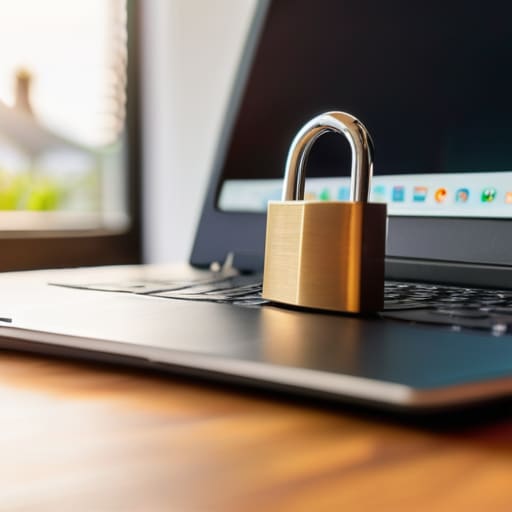
At the end of the day, securing your website isn’t about building an impenetrable fortress or mastering every single line of code; it’s about making sure you’ve covered the essentials. We’ve talked about why moving from HTTP to HTTPS is non-negotiable and why that little padlock icon in the browser bar is actually your best friend when it comes to building trust. You don’t need to be a cybersecurity expert to implement these standards. By prioritizing SSL/TLS encryption and understanding how your data moves, you are already ahead of the curve compared to most small business owners. It’s about taking those small, practical steps to ensure your digital space is as safe as it is functional.
I know that staring at a list of technical requirements can feel like looking at a wall of static, but I promise you, it gets easier. The internet can feel like a vast, intimidating place, but remember that every big platform started as a single, simple corner of the web. You deserve to own your space online without the constant fear of being hacked or misrepresented. Don’t let the jargon keep you from building something great. Just take it one protocol at a time, stay consistent, and keep building your corner of the internet. You’ve got this.
Frequently Asked Questions
If I already have an SSL certificate, am I completely safe from hackers, or is there more I need to do?
Think of an SSL certificate like a high-quality deadbolt on your front door. It’s essential for making sure nobody eavesdrops on your visitors, but it doesn’t stop someone from picking the lock or climbing through a window. You still need to worry about things like weak passwords, outdated plugins, and keeping your software updated. An SSL secures the connection, but it doesn’t make your entire digital house unhackable.
Do I really need to pay for a premium security plugin, or can I handle the basics myself with free tools?
Look, I get the temptation to just grab the first “Pro” plugin you see, but you don’t need to reach for your credit card immediately. For most of my clients, a solid combination of free tools—like a decent firewall plugin and a reliable backup solution—is more than enough to handle the heavy lifting. Focus on the fundamentals first. Once your site grows and things get complex, then we can talk about the premium stuff.
How often should I actually be updating my site's software to keep things secure without breaking my layout?
I always tell my clients: don’t treat updates like a chore you can ignore for months. Aim for a weekly check-in. Most minor patches are quick, but if you’re running a major CMS or plugin update, do it on a Tuesday morning—never a Friday afternoon. That way, if a new version decides to mess with your CSS or break a layout, you aren’t stuck troubleshooting alone while you’re trying to enjoy your weekend.
