
I remember sitting in my old agency cubicle, staring at a dashboard filled with flashing red lights and complex graphs that felt more like a cockpit than a website report. My boss was convinced we needed to drop thousands of dollars on a high-end enterprise suite just to understand why a single landing page was lagging. It was a total racket. Most people will tell you that website performance monitoring requires a degree in data science and a massive monthly subscription, but that’s just noise designed to separate you from your hard-earned money.
I’m not here to sell you on expensive, bloated software or bury you in jargon that doesn’t actually move the needle for your business. Instead, I want to show you how to cut through the clutter and focus on the metrics that actually matter for your users. I’ll walk you through the practical, low-cost ways to keep an eye on your site’s health so you can stop guessing and start growing. Think of this as a straightforward roadmap to keeping your digital home running smoothly, without the headache.
Table of Contents
- Real User Monitoring vs Synthetic Monitoring What Actually Matters
- Why Uptime Monitoring Services Are Your Digital Safety Net
- 5 ways to keep your site running smooth without losing your mind
- The bottom line on keeping your site running smoothly
- ## The reality of keeping things running
- Bringing it all home
- Frequently Asked Questions
Real User Monitoring vs Synthetic Monitoring What Actually Matters

Think of synthetic monitoring as a controlled lab test. You’re essentially setting up a robot to visit your site at regular intervals from a specific location to see if everything is running smoothly. It’s great for catching basic errors or checking your uptime, but it’s a bit of a vacuum. It doesn’t account for the person sitting in a coffee shop in Seattle trying to load your portfolio on a spotty 4G connection.
That’s where real user monitoring vs synthetic monitoring becomes a crucial distinction to understand. Real user monitoring (RUM) captures the actual experience of your visitors. It shows you how your site performs in the wild, revealing the real-world frontend performance bottlenecks that a scripted bot might miss entirely. While synthetic tests are perfect for baseline checks, RUM is what actually tells you if your customers are frustrated by a sluggish interface.
If you want to get serious about improving core web vitals scores, you can’t just rely on one or the other. You need the predictable, scheduled checks of synthetic tools to catch crashes, paired with the messy, honest data from RUM to see how humans actually interact with your code.
Why Uptime Monitoring Services Are Your Digital Safety Net
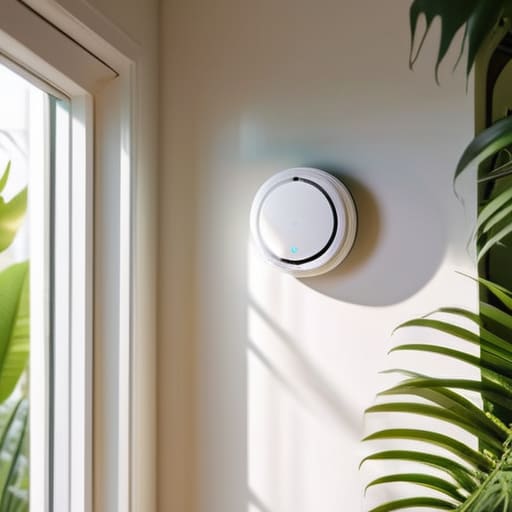
Think of uptime monitoring services as the smoke detector for your digital storefront. You might be busy working on a new project or tending to my indoor jungle, completely unaware that your server has decided to take an unscheduled nap. Without an automated alert, you won’t realize your site is down until a frustrated client sends you an email or, worse, until you notice your sales have completely flatlined. It’s not about being paranoid; it’s about having a system that watches the door while you aren’t looking.
The real beauty of these services is that they catch the “silent killers”—those brief windows where your site isn’t technically offline, but it’s so sluggish that it might as well be. By tracking consistent availability, you get a clear picture of your reliability. It’s much easier to fix a minor hiccup before it turns into a massive outage that tanks your reputation. Ultimately, staying online is the absolute baseline for everything else we do, from improving core web vitals scores to simply being present for your audience.
5 ways to keep your site running smooth without losing your mind
- Don’t obsess over every single millisecond; focus on the “Core Web Vitals” that Google actually cares about. If your Largest Contentful Paint is lagging, that’s where your energy should go.
- Set up alerts that actually matter. There is nothing worse than getting a notification at 3 AM for a 0.1% dip in speed that doesn’t actually affect anyone. Aim for meaningful thresholds.
- Test your site from different locations. I’ve seen plenty of developers swear their site is lightning fast because they’re testing it from their high-speed home office, while a customer halfway across the country is staring at a loading spinner.
- Check your mobile performance as strictly as your desktop. Most of your visitors are likely on a phone with a spotty connection, and a site that feels snappy on a MacBook might be a total disaster on a mid-range Android.
- Make performance a habit, not a one-time project. Don’t just check your stats once a month; build a simple dashboard so you can see trends over time and catch a slow creep in load times before it becomes a crisis.
The bottom line on keeping your site running smoothly
Don’t get caught in the “all or nothing” trap; you need a mix of synthetic tests to catch errors early and real user monitoring to see how things actually feel for your visitors.
Uptime monitoring isn’t just a luxury for big corporations—it’s your early warning system that tells you something is broken before your customers start complaining.
Forget about chasing every single metric; focus on the data that actually impacts your ability to stay online and serve your audience without friction.
## The reality of keeping things running
“Monitoring isn’t about chasing every tiny spike in a graph; it’s about having the peace of mind to know that when a customer clicks your link, your digital doors are actually open.”
Lucia Ferreira
Bringing it all home

At the end of the day, monitoring your website isn’t about obsessing over every single millisecond of latency or buying the most expensive enterprise dashboard on the market. It’s about knowing the difference between a simulated test and how your actual customers are experiencing your site, and making sure you have a safety net in place so you aren’t the last person to find out when something breaks. Whether you are leaning on synthetic checks to catch errors early or using real user monitoring to see where people are dropping off, the goal is the same: removing the guesswork from your digital presence.
I know that staring at performance metrics can feel like learning a foreign language sometimes, but please don’t let the technical noise intimidate you. You don’t need to be a systems engineer to care about your site’s health; you just need to be a good steward of the space you’ve built. Think of monitoring as a way to listen to what your website is telling you. Once you start paying attention to the right signals, you’ll find that building a reliable corner of the internet becomes much less overwhelming and a lot more rewarding. Now, go grab your notebook, pick a tool that fits your budget, and start watching those numbers.
Frequently Asked Questions
Do I really need to pay for a professional monitoring service, or can I just check my site manually?
Look, I get it. When you’re just starting out, every subscription fee feels like a dent in your budget. If you have ten visitors a month, manual checking is fine. But if you’re running a business, you can’t rely on “checking it yourself” at 10:00 PM on a Tuesday. A professional service works while you sleep, catching errors before your customers do. It’s not about being fancy; it’s about peace of mind.
How often should I actually be checking my performance metrics without driving myself crazy?
Honestly? If you’re logging in every hour to refresh your dashboard, you’re doing too much. That’s a fast track to burnout. For most small business sites, checking your core metrics once a week is plenty. I prefer setting up automated alerts—let the tools ping you if something actually breaks. Otherwise, just pick a quiet time on Friday to review the trends. You want to spot patterns, not chase every tiny, meaningless fluctuation.
If my site goes down, how quickly can I expect a monitoring tool to actually alert me?
It really depends on how you set your “check interval,” but most decent tools will ping your site every minute or so. If you’re using a free tier, you might wait five or ten minutes before an alert hits your inbox. For my clients, I always recommend a tighter window. You don’t want to find out your shop is closed via a frustrated customer email; you want that notification hitting your phone the second things go sideways.
