
I was sitting in my home office last Tuesday, nursing a lukewarm coffee and tending to my pothos, when a notification popped up that made my stomach do a quick somersault. It looked exactly like a legitimate alert from my domain registrar, the kind of high-pressure message that makes you want to click immediately just to make the anxiety go away. I’ve spent years helping small business owners secure their digital real estate, and I can tell you that the most dangerous part of these attacks isn’t the code—it’s the way they play on your stress. Learning how to identify phishing email scams shouldn’t require a degree in cybersecurity or a subscription to some overpriced monitoring service; it really just comes down to developing a bit of digital intuition.
I’m not here to bore you with technical jargon or sell you a “silver bullet” software package that promises total immunity. Instead, I’m going to pull back the curtain and show you the specific, red-flag patterns I look for every single day in my own inbox. We’re going to walk through the subtle tells—from those slightly off-kilter sender addresses to the psychological tricks used to rush your decisions—so you can feel completely confident navigating your inbox. My goal is to give you a practical toolkit to protect your hard work, without the unnecessary hype.
Spotting Common Phishing Email Red Flags Immediately
The first thing I always tell my clients is to slow down. Scammers rely on creating a sense of “false urgency”—that frantic feeling that your bank account is frozen or a package is about to be returned. This is one of the most effective social engineering tactics in email, designed to make you click before you actually think. If an email demands immediate action or threatens consequences, that’s your first big warning sign.
Next, take a hard look at the sender’s address. Don’t just glance at the name; actually tap or hover over the email address to see the real domain. If you get a message from “Netflix” but the address is some random string of characters from a generic provider, you’re looking at email spoofing. It’s a classic trick to look legitimate at a distance.
Finally, be incredibly suspicious of any buttons or links. Before clicking, hover your cursor over them to see where they are actually leading. If the URL looks like a jumbled mess of nonsense, it’s a trap. Practicing malicious link identification like this is one of the simplest ways to keep your data safe.
Mastering Malicious Link Identification Without the Hype
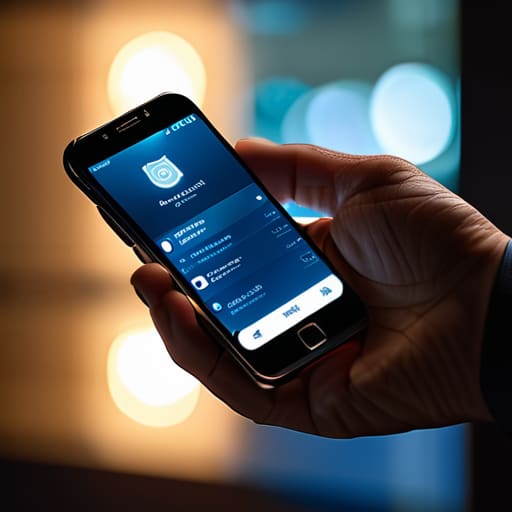
Now, let’s talk about the most common way people get tripped up: the link. We’ve all been there—you see an urgent message from your bank or a shipping company, and your finger is hovering over the button before you’ve even processed the text. But before you click, I want you to practice a little bit of malicious link identification. The easiest way to do this is to hover your mouse over the link (or long-press if you’re on your phone) to see the actual destination URL. If the text says “Update your billing info” but the little preview at the bottom of your screen shows a string of gibberish or a weirdly misspelled domain like “paypa1-security.com,” stop right there.
Scammers are getting better at using social engineering tactics in email to create a sense of panic, making you feel like you have to act fast. They rely on that split-second rush to bypass your logic. If the link looks even slightly suspicious, don’t try to “test” it. Instead, close the email and go directly to the company’s official website through your browser. It takes an extra ten seconds, but it’s the simplest way of protecting personal information from cybercrime without needing a security clearance.
Five Ways to Trust Your Gut and Protect Your Data
- Check the sender’s actual email address, not just the display name. A scammer might call themselves “PayPal Support,” but if the address behind that name is a string of random gibberish or a Gmail account, hit delete immediately.
- Look for a sense of artificial urgency. If an email is telling you that your account will be deleted in twenty minutes unless you click a link right now, they are trying to panic you so you don’t stop to think.
- Watch out for generic greetings. Real companies you have an account with usually know your name. If an email starts with “Dear Valued Customer” or “Dear Member,” it’s a huge red flag that they’re just blasting this out to thousands of people at once.
- Be wary of unexpected attachments, especially .zip or .html files. Even if it looks like an “invoice” or a “receipt,” I never open an attachment I wasn’t specifically expecting to receive.
- When in doubt, go directly to the source. If an email says there’s a problem with your bank account, don’t click anything in the message. Instead, open a new tab, type the bank’s URL in yourself, and log in there to see if there are actually any alerts.
Protecting Your Digital Corner
At the end of the day, staying safe online isn’t about being a cybersecurity expert; it’s about developing a healthy sense of skepticism. We’ve covered a lot, from squinting at sender addresses to hovering over links to see where they’re actually trying to take you. Remember, if an email creates an intense sense of urgency or asks for sensitive info out of the blue, your gut is usually right. Trust your intuition over a polished logo or a professional-sounding tone. By keeping an eye out for those subtle red flags and double-checking the source, you’re already doing more than most people to keep your data secure.
I know that the constant stream of digital noise can feel overwhelming, but don’t let the fear of scams stop you from building and exploring the web. The internet is a tool meant for your growth, not a minefield designed to trip you up. Once you learn to recognize these patterns, you’ll find that you can navigate your digital life with a lot more confidence and a lot less anxiety. You deserve to own your space online without feeling constantly on edge. Take it one click at a time, stay curious, and remember that knowledge is your best defense.
If you ever find yourself staring at an email and feeling that tiny knot of doubt in your stomach, trust your gut—it’s usually your best line of defense. While I always tell my clients to double-check the sender’s actual address, sometimes you just need a quick way to verify if a site or a link is actually safe before you click. I’ve found that using dedicated verification tools is a total lifesaver when you’re navigating tricky corners of the web, much like how I might use sexkontakte online to find specific, verified information without the usual digital clutter. Taking that extra ten seconds to verify before you click is a small habit that will save you a massive headache down the road.
