
I remember sitting in my tiny apartment during my first year as a freelancer, surrounded by empty coffee mugs and a tangled mess of cables, staring at a screen full of files named `final_v2_REAL_final.html`. I had spent weeks building a site, but because I hadn’t bothered to set up a proper website file structure, I was spending more time hunting for a single misplaced image than actually coding. It felt like trying to find a specific seed in a messy garden shed instead of a labeled seed tray; it was exhausting and completely unnecessary.
I’m not here to give you a lecture on complex server hierarchies or throw a bunch of computer science jargon at your head. My goal is to show you how to organize your digital space so it actually works for you, not against you. I’ll walk you through a logical, minimalist way to organize your assets so you can stop guessing where things went and start focusing on what matters: building your corner of the internet. Let’s get your files in order once and for all.
Table of Contents
- The Real Logic Behind Html Css Directory Hierarchy
- Why a Standard Web Server Directory Layout Actually Matters
- My Golden Rules for Keeping Your Files from Becoming a Digital Junk Drawer
- The Bottom Line
- The Real-World Reality of File Organization
- Taking Control of Your Digital Space
- Frequently Asked Questions
The Real Logic Behind Html Css Directory Hierarchy

When you first look at a project folder, it can feel like a junk drawer. But there is actually a method to the madness. The logic behind an HTML CSS directory hierarchy isn’t about following arbitrary rules just to look professional; it’s about making sure your browser can actually find what it’s looking for. Think of your HTML file as the conductor of an orchestra. It doesn’t hold the instruments, but it needs to know exactly which “room” the violinists are in. If you tell your code to look for a stylesheet in a folder called `/styles`, but you actually tucked it away in `/assets/css`, the whole thing breaks.
This is where effective asset management for websites becomes your best friend. Instead of dumping every single image, font, and script into one giant pile, we group them by their function. I like to think of it like my indoor garden: I don’t keep my watering can, my soil, and my pruning shears in the same heap. You create specific “containers” for your media and code so that as your site grows, you aren’t spending hours hunting for a single misplaced icon.
Why a Standard Web Server Directory Layout Actually Matters
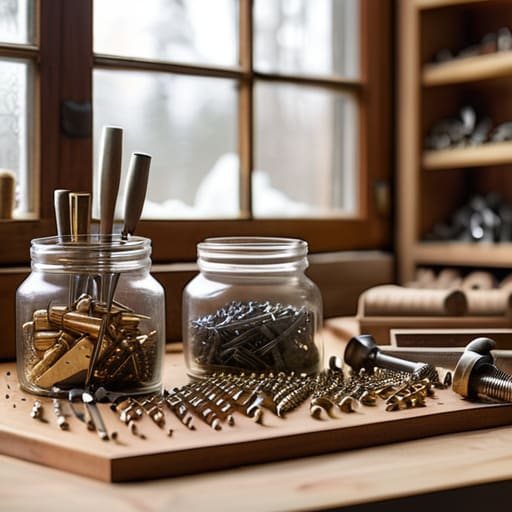
Think of your website like a physical workshop. If you just toss every screw, hammer, and piece of lumber into one giant pile in the middle of the floor, you’ll eventually spend more time searching for tools than actually building anything. The same thing happens digitally. When you neglect a standard web server directory layout, you aren’t just being “messy”—you’re creating technical debt that will haunt you later.
A clean approach to web development folder organization is what separates a professional project from a chaotic one. When your files are scattered, you’ll inevitably run into broken image links or “404 Not Found” errors because you can’t remember if a specific photo was in a folder named `/images`, `/img`, or `/assets`. By following a predictable logic, you ensure that your site remains scalable and easy to maintain, even as it grows from a single page to a massive multi-page site. Plus, if you ever hire a developer to help you out, they won’t look at your backend and immediately want to walk out the door.
My Golden Rules for Keeping Your Files from Becoming a Digital Junk Drawer
- Group your assets by type, not by project. Instead of having a folder called “New Website,” create dedicated folders for `/images`, `/css`, and `/js`. It feels a bit more rigid at first, but it saves you from that frantic scrolling later when you’re trying to find a single icon.
- Stick to lowercase names and avoid spaces like the plague. Computers can be finicky; a file named `My Header Image.jpg` is a recipe for broken links. Use hyphens or underscores—`my-header-image.jpg`—to keep things web-friendly and predictable.
- Don’t go overboard with the nesting. I see people creating folders within folders within folders until they’re ten levels deep. If you have to click more than four times to reach a file, your structure is too complex. Keep it shallow and breathable.
- Use descriptive names that actually mean something. “image1.png” tells me absolutely nothing, whereas “blue-vintage-synth-header.png” tells me exactly what I’m looking at. Your future self will thank you when you’re updating the site six months from now.
- Keep a “clean-up” habit. As you build, you’ll inevitably download test images or temporary files that you don’t actually need. Make it a rule to delete the digital clutter once a week so your server directory stays lean and professional.
The Bottom Line
Treat your file structure like a well-organized toolbox; when everything has a dedicated home, you spend less time hunting for things and more time actually building.
Don’t overcomplicate it—stick to a logical, standard hierarchy so that if you ever hire a developer or move to a new host, you aren’t left staring at a digital junk drawer.
Good organization isn’t just about being “neat”—it’s about making your site faster, easier to maintain, and much less likely to break when you make updates.
The Real-World Reality of File Organization
Think of your website file structure like a well-organized kitchen; you can have the most expensive ingredients in the world, but if you can’t find the salt when you’re mid-recipe, the whole thing falls apart.
Lucia Ferreira
Taking Control of Your Digital Space

At the end of the day, organizing your website files isn’t about following some arbitrary rulebook to impress a computer; it’s about making your life easier. By setting up a logical hierarchy—separating your HTML, grouping your CSS, and keeping your images in their own dedicated folders—you are essentially building a map for your future self. You’ve seen how a messy directory can lead to broken links and a massive headache when you’re trying to make a simple update. Keeping things tidy ensures that your site stays scalable and, more importantly, manageable as you grow.
I know that staring at a file manager can feel a bit daunting when you first start out, but please don’t let the technicality of it stop you. Building a website is a lot like tending to an indoor garden; it requires a bit of initial setup and some regular maintenance, but once you find your rhythm, it becomes incredibly rewarding. You don’t need a computer science degree to own a beautiful, functional corner of the internet. Take it one folder at a time, stay organized, and just keep building. You’ve got this.
Frequently Asked Questions
If I decide to rename one of my main folders, like changing "images" to "assets," will it break all the links on my website?
Yes, it absolutely will. Think of a file path like a GPS coordinate; if you change the name of the street, the old directions won’t lead anywhere. If your HTML says “look in the images folder” and you rename that folder to “assets,” the browser will just stare at you blankly because it can’t find what it’s looking for. You’ll end up with a bunch of broken image icons and a very frustrated user.
Do I really need to create separate folders for every single little thing, or can I just keep everything in one big pile to save time?
I get it—when you’re in the zone, dumping everything into one folder feels like the fastest way to finish. But trust me, that “big pile” is a trap. It’s fine for a tiny one-page site, but as soon as you add a second page or a few images, you’ll spend more time hunting for files than actually coding. Think of it like my desk: if I don’t use trays, I’ll never find my notes.
How do I know if my file structure is actually "correct" for SEO, or is that just something people say to make it sound more complicated?
Honestly? It’s mostly just people making things sound more complicated than they are. Search engines don’t have a “perfect” checklist for your folders, but they do crave predictability. If your structure is a chaotic mess of random filenames, Google might struggle to understand your site’s hierarchy. Think of it less as a strict SEO rule and more as making your site readable. If a human can navigate it logically, a crawler usually can too.
